auto-run simulation widgets • instant product clarity

Auto-run simulation widgets

Automatically play through a system and make the value clear in seconds. Auto-run widgets are short browser-based simulation explainers that start playing immediately. They do not wait for the user to figure out controls first. They show the mechanism, the friction, the change, and the result in one tight visual sequence. That makes them ideal when you need someone to understand what your product changes, why it matters, and where the payoff comes from fast.
Best when
One clear system story needs to click in 10-30 seconds.
Format
Auto-playing browser simulation with no setup friction.
Works on
Landing pages, sales flows, private links, decks, and workshops.
Output
Embeddable web asset, shareable URL, or short-loop explainer.
How the format works
Example: process before vs after a stabilizer
auto-play 10-30 sec browser-ready
input
friction
stabilizer
outcome
The viewer sees a compact story: pressure enters, delay builds, a change is introduced, and the system visibly recovers or scales better.
message clarity
instant
No setup. No walkthrough. The explanation starts on load.
format
light
Fast, focused, embeddable, and easy to reuse across channels.
best job
show value
Ideal when the goal is understanding first, controls second.
Why this product exists
It explains before it asks. The widget starts telling the story immediately, so the user understands the mechanism.
It replaces static claims with visible behavior. Instead of saying a workflow becomes faster or a market adopts faster, the widget shows how and where that happens.
It is easy to share. Use it on a landing page, in a proposal, inside a presentation, on a private URL, or as the basis for a short video/GIF export.
It stays lightweight. One compact visual sequence, one clear story arc, low friction for the viewer, and simple embedding for the team.
Share anywhere Works as an embed, private link, proposal asset, or workshop explainer.
Low-friction by default One clear loop, one message, and no dashboard learning curve up front.

What an auto-run widget actually is

It is a pre-scripted simulation explainer that plays through a short sequence on its own. The user lands on the page and immediately sees a system unfold: inputs enter, frictions appear, a product layer or process change is introduced, and the outcome shifts. In other words, it is not just animation. It is a compact system story built from process logic, interaction logic, or agent-like behavior.

The point is not to throw many controls at the user. The point is to make one important mechanism obvious fast: where work slows down, where adoption spreads, where risk propagates, where conversion leaks, or where a new solution changes the path.
  • Starts playing immediately so the story lands before the viewer has to interact.
  • Compresses system logic into one visible before-and-after sequence.
  • Works best when a single payoff needs to become obvious fast.

When this format is the right choice

Choose auto-run when you want fast clarity, not a heavy tool. It works best when the audience needs an immediate "got it" moment: homepage visitors, campaign traffic, sales prospects, internal stakeholders, proposal readers, workshop participants, or decision-makers who will not spend time learning a full interface.

It is especially strong when the system has a clear before/after logic, visible bottleneck, spread pattern, or process shift that can be understood inside a short 10-30 second loop.
  • Use it when clarity matters more than handing the viewer many controls.
  • Ideal for homepage explainers, campaign landers, demos, and proposal support.
  • Best for systems with a short, memorable narrative arc.

Product value explainers

Show what the product changes in the system, not just what features it has. Good for workflow tools, orchestration layers, analytics products, queue reducers, routing engines, and operational software.

Risk and failure stories

Visualize how issues spread, where fragility sits, and how containment or traceability changes the blast radius. Useful for quality, compliance, trust, resilience, and operational risk communication.

Adoption and growth narratives

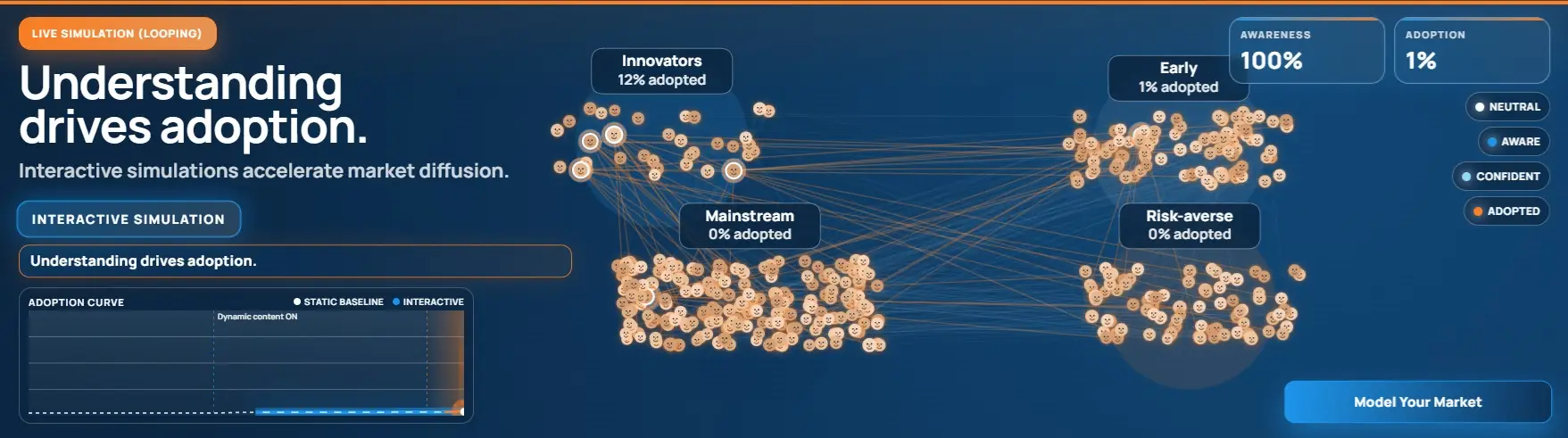
Make market understanding visible: awareness, trust, proof, bridges, momentum, and stall points. Strong for product marketing, category education, network effects, and go-to-market messaging.

Where this format works best

Landing pages Replace abstract copy with a moving proof-of-value layer that explains the mechanism fast.
Sales and proposals Give prospects a compact visual asset that is easier to remember than static slides.
Decks and workshops Embed or link a short simulation sequence that frames the discussion before live Q&A starts.
Campaign pages Use one tight, replayable system story to support launches, category education, or trust building.
Investor communication Show how a system scales, stabilizes, de-risks, or unlocks efficiency rather than describing it vaguely.
Internal alignment Help teams align on shared mechanics, assumptions, bottlenecks, and intended outcomes.
Short-form content Repurpose the same simulation as a lightweight webpage asset and as a short video-like explainer.
Private share links Send a clean simulation URL directly to prospects or stakeholders without asking them to install anything.

Lightweight by design

Auto-run widgets are made to be fast to load, easy to embed, and easy to understand. The goal is not a giant dashboard. It is one strong visual asset that fits websites, landing pages, proposals, demos, and presentations without dragging the user into complexity.

Sharable across channels

Use the same widget on your site, behind a private link, inside a sales flow, in a workshop, or as a visual aid in strategy conversations. One asset, many contexts, same core message.

Built for quick understanding

The format is strongest when a viewer should understand the system inside seconds. That makes it a strong front-layer product: homepage hero, product section, offer explainer, campaign opener, or sales conversation starter.

What can an auto-run widget show?

Almost any system that benefits from showing cause and effect over time can fit this format. Common examples:
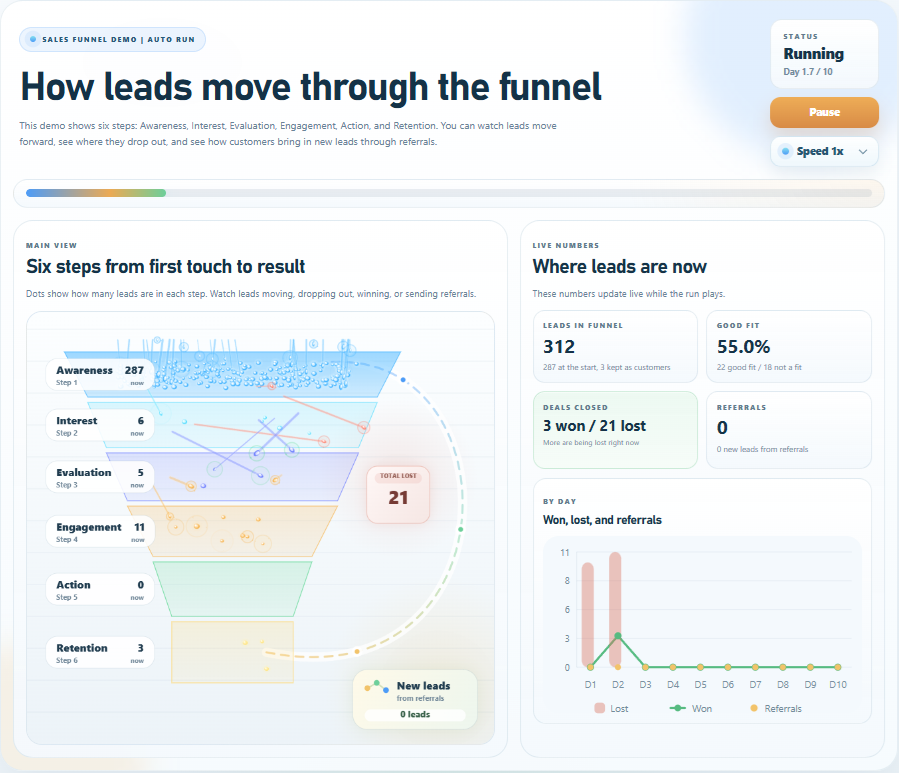
workflow stabilization queue reduction funnel drop-off revenue leakage market adoption viral spread risk propagation traceability vs no traceability before vs after operations service bottlenecks routing logic system resilience

What you usually give us

You do not need to arrive with a finished model. Usually it is enough to have the core story: what the system is, what goes wrong or changes, and what should become obvious to the viewer.
Use case What should the viewer understand in one short run?
Audience Customers, leads, internal teams, leadership, partners, or investors?
Placement Website, landing page, proposal, private URL, deck, workshop, or campaign?
Desired realism Intuitive explainer logic, business-credible logic, or more calibrated logic.
Auto-run simulation widgets are for moments where clarity has to happen fast. They are compact, visual, browser-ready system explainers that show how something changes, why it matters, and what the result looks like - without asking the audience to study charts or learn a complex interface first.

Explore auto-run simulation examples

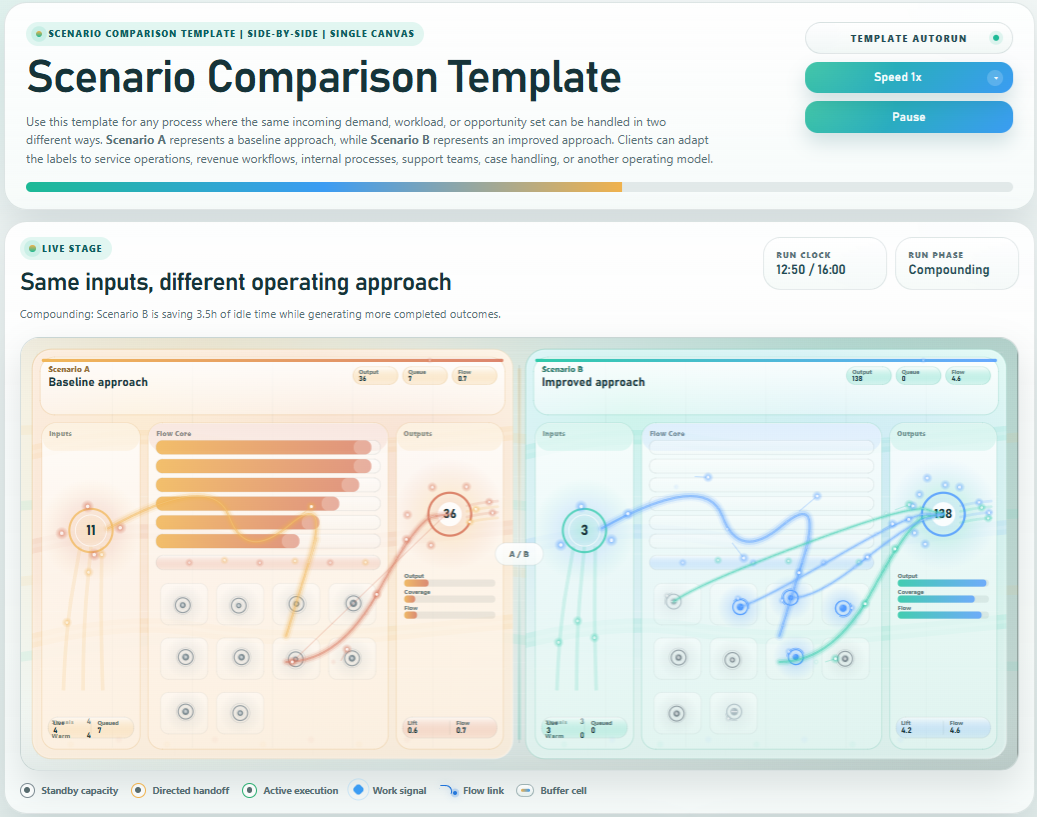
Scenario Comparison Template for Baseline vs Improved Process

Scenario Comparison

A reusable side-by-side simulation template that shows how the same inputs produce different results under a baseline versus improved operating approach. Use it to explain workflow redesign, automation, routing, prioritization, or process improvement across service operations, support, revenue workflows, case handling, and internal processes.
Read more
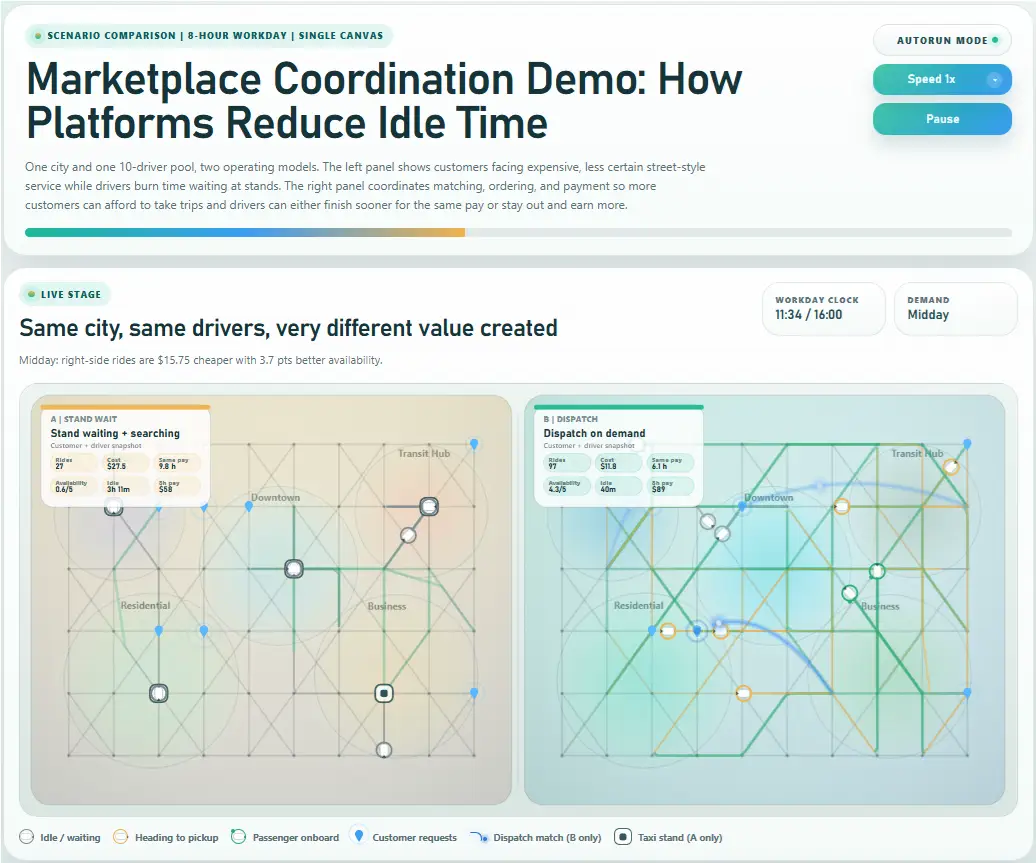
Marketplace Coordination Demo - How Platforms Reduce Idle Time

Platform Coordination Simulator: How Marketplaces Reduce Idle Time and Increase Efficiency

One city and one 10-driver pool, two operating models. The left panel shows customers facing expensive, less certain street-style service while drivers burn time waiting at stands. The right panel coordinates matching, ordering, and payment so more customers can afford to take trips and drivers can either finish sooner for the same pay or stay out and earn more.

Read more
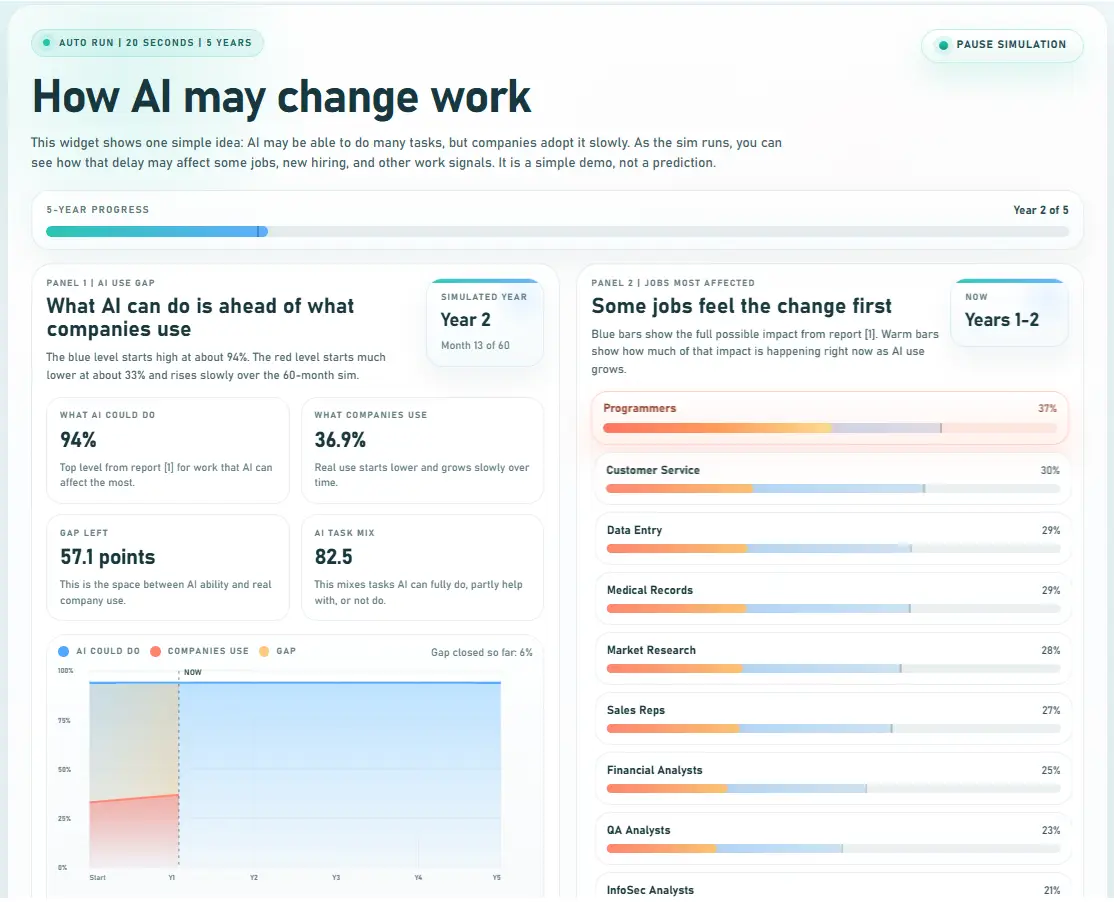
How AI may change work This widget shows one simple idea: AI may be able to do many tasks, but companies adopt it slowly. As the sim runs, you can see how that delay may affect some jobs, new hiring, and other work signals. It is a simple demo, not a prediction.

How AI may change work

This widget shows one simple idea: AI may be able to do many tasks, but companies adopt it slowly. As the sim runs, you can see how that delay may affect some jobs, new hiring, and other work signals. It is a simple demo, not a prediction.

Read more