interactive AI explainer • assistants • tools • tokens
See How AI Assistants Actually Work
Explore how ChatGPT, Claude, and Gemini turn your request into an answer.
Follow the context window, tokens, transformer layers, optional AI tools, and work loops behind complex tasks.
This visual AI explainer shows the shared high-level process, not a live internal trace.
step 1 — load context
step 2 — route the task
step 3 — generate and check result
context
language model
AI tools
answer
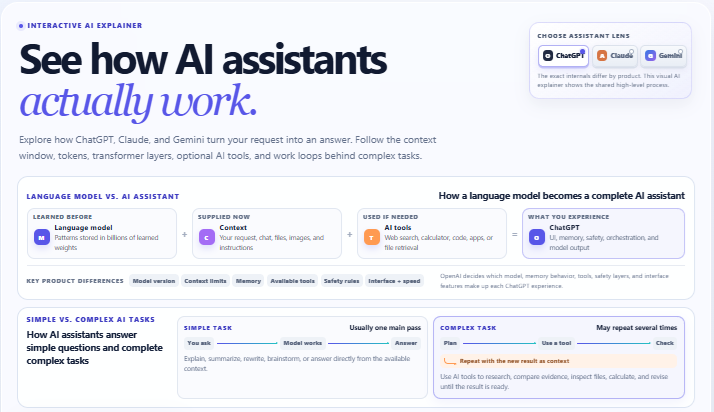
language model vs. AI assistant
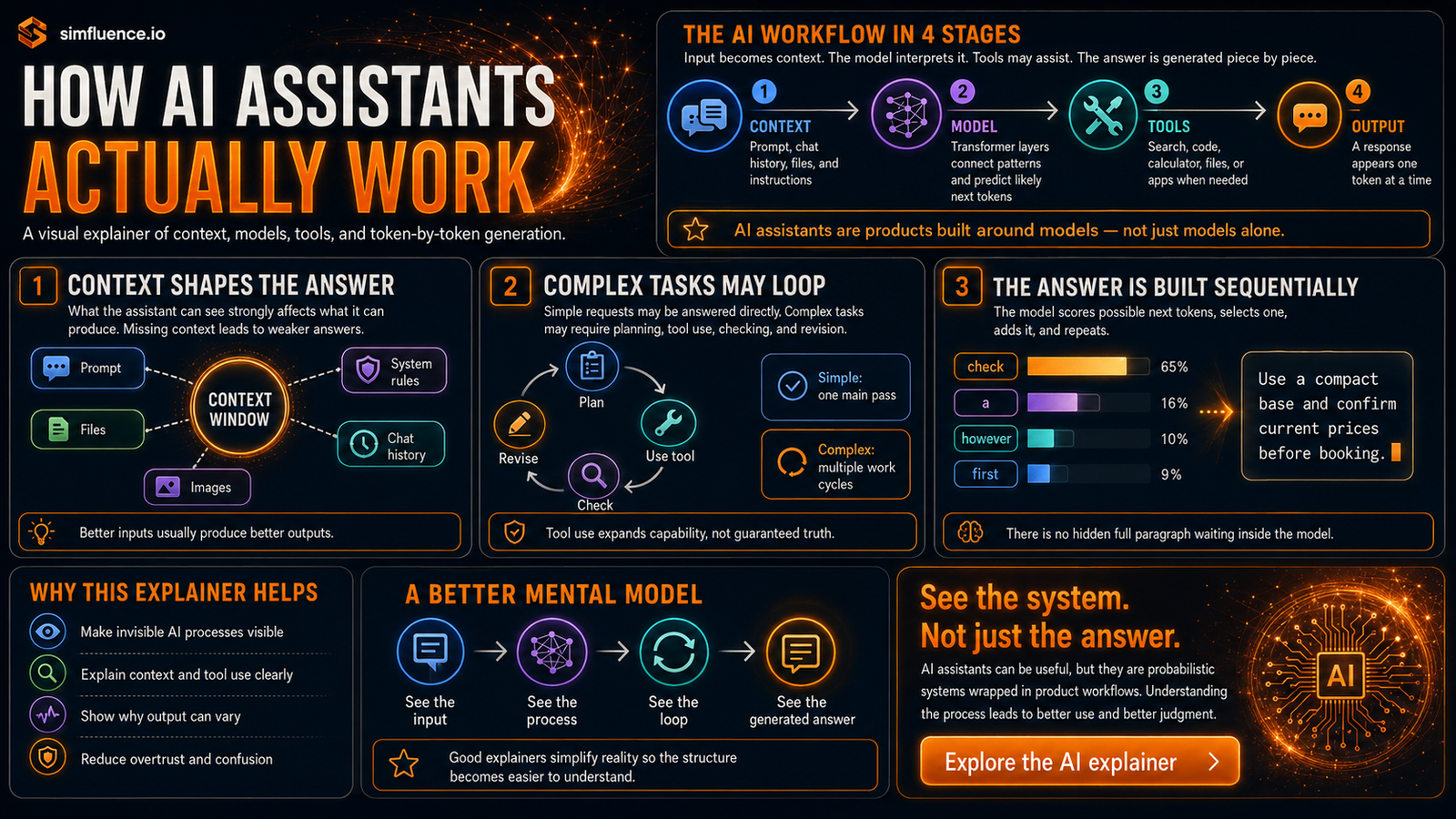
learned before:language model patterns stored in learned weights
supplied now:context request, chat, files, images, and instructions
used if needed:AI tools web, code, calculator, apps, or file retrieval
what you experience:ChatGPT UI, memory, safety, orchestration, and model output
key product differences
Model version and routing
Context limits and memory behavior
Available tools and file access
Safety rules, interface, speed, and formatting
simple vs. complex AI tasks
simple:usually one main pass — explain, summarize, rewrite, brainstorm, or answer directly from context
complex:plan, use a tool, check, repeat with the new result as context
choose a task type
Simple tasks
Complex tasks
what enters this task
complex loop:budget + preferences
Live search
Maps
Draft itinerary
six-step AI workflow
01Load context — build the context window
02Encode input — create tokens and embeddings
03Connect clues — transformer layers
04Choose route — answer, ask, or use a tool
05Do the work — run a multi-step workflow
06Build result — generate one token at a time
in plain English
The answer appears piece by piece. The model scores possible next tokens, selects one, adds it to the growing response, and repeats.
Picture this: very powerful autocomplete that rereads the working context after every new piece.
one level deeper
AI text generation is probabilistic, not database retrieval.
Settings and model behavior shape which likely token is selected. The same prompt can produce different wording.
common myth:there was no complete paragraph hidden inside the model waiting to be copied out
interactive AI explainer
how AI assistants work
ChatGPT
Claude
Gemini
context window
tokens
transformer layers
AI tools
next-token generation
Reality check: This visual AI explainer is an educational high-level model, not a live trace or a claim
that the three products have identical internals. Internal reasoning is represented as a task-level work plan,
not private chain-of-thought. No prompt leaves this page.
Related blog post
Interactive AI explainer
How AI Assistants Actually Work
AI assistants are not just chat boxes or search engines. This post explains how context windows, tokens, transformer layers, optional tools, complex work loops, and next-token generation shape the answers you see.